One of the biggest reasons why I continue to log into SL (albeit much less these days) is because of Relay for Life. Second Life has been involved in the fight against Cancer with Relay for Life since 2005, as have I. It's just a game, you say? Well, let me tell you what a bunch of gamers can do!
In 2005, the first year RFL events were held in SL, a bunch of "gamers" (315 people) raised $5,000 USD for the ACS and RFL. The very next year that amount jumped to $41,000 USD raised and sent to RFL. In 2007 the total raised more than doubled at $118,500 USD! In 2008, the amount almost doubled again at $215,000 USD raised that year. In 2009, over 1/4 of a million was raised... $275,000 USD. By 2012 Second Life Relay for Life raised and sent $375,000 USD to the ACS and RFL.
Totals are still coming in for the 2013 Relay, but we again raised over $350,000 USD this year, which put the grand total for all SL RFL efforts at and beyond the $2,000,000 (million) USD mark!!! There were almost 3000 people who walked the virtual laps, exploring the creative 3D builds, donating, lighting luminaria, sharing their personal stories in their fight against cancer, celebrating loved ones saved, and honoring those we've lost.
3000 people from all over the world and every time zone imaginable came together for one 24-hour period to walk, talk, laugh, cry, share, love, and raise money to help find a cure for cancer. There was no hated, no prejudices, no drama. Just a common bond - to find a cure.
Now I know many of you have theories, conspiracy or otherwise, regarding ACS, RFL, cancer research, government interference, Big Pharmacy manipulation, etc.... This post is about NONE OF THAT!!! Please keep those comments to yourself or they will be deleted.
This post is about the amazing things that happen when people come together to work towards a common goal, even if they come together virtually. I have a lot of people on my timeline now who do not know what SL is and may wonder about the strange cartoon-like pictures I post from time to time. THIS is what SL is about for me. Not a game, but merely another platform, a social network to do good things. Relay for Life organization and the American Cancer Society have official representative inside SL and recognize SL as an official RFL team. Convio is set up to allow RFL donations to be made on behalf of the SL team. These are real people, real money, relaying together against a real disease. And I for one am proud to be a part of that effort!
$2,000,000 USD raised for the fight against cancer by Second Life residents.
Until there is a cure, we Relay!!
http://
and
http://wiki.secondlife.com/
In 2005, the first year RFL events were held in SL, a bunch of "gamers" (315 people) raised $5,000 USD for the ACS and RFL. The very next year that amount jumped to $41,000 USD raised and sent to RFL. In 2007 the total raised more than doubled at $118,500 USD! In 2008, the amount almost doubled again at $215,000 USD raised that year. In 2009, over 1/4 of a million was raised... $275,000 USD. By 2012 Second Life Relay for Life raised and sent $375,000 USD to the ACS and RFL.
Totals are still coming in for the 2013 Relay, but we again raised over $350,000 USD this year, which put the grand total for all SL RFL efforts at and beyond the $2,000,000 (million) USD mark!!! There were almost 3000 people who walked the virtual laps, exploring the creative 3D builds, donating, lighting luminaria, sharing their personal stories in their fight against cancer, celebrating loved ones saved, and honoring those we've lost.
3000 people from all over the world and every time zone imaginable came together for one 24-hour period to walk, talk, laugh, cry, share, love, and raise money to help find a cure for cancer. There was no hated, no prejudices, no drama. Just a common bond - to find a cure.
Now I know many of you have theories, conspiracy or otherwise, regarding ACS, RFL, cancer research, government interference, Big Pharmacy manipulation, etc.... This post is about NONE OF THAT!!! Please keep those comments to yourself or they will be deleted.
This post is about the amazing things that happen when people come together to work towards a common goal, even if they come together virtually. I have a lot of people on my timeline now who do not know what SL is and may wonder about the strange cartoon-like pictures I post from time to time. THIS is what SL is about for me. Not a game, but merely another platform, a social network to do good things. Relay for Life organization and the American Cancer Society have official representative inside SL and recognize SL as an official RFL team. Convio is set up to allow RFL donations to be made on behalf of the SL team. These are real people, real money, relaying together against a real disease. And I for one am proud to be a part of that effort!
$2,000,000 USD raised for the fight against cancer by Second Life residents.
Until there is a cure, we Relay!!
http://
and
http://wiki.secondlife.com/
a double shot of Espresso in the
morning
Ice cold sweet tea in the sun
Sushi & Ice cream; together?
the beat of a different drum
a summer thunder storm
Angry rain on a tin roof
an ocean breeze
Sunflowers
cuddles
Precocious
confusing
Living dead girl
Strong & weak
Your worst nightmare
Your wildest fantasy
eyes that have shed too many tears
the cold side of your pillow
a tease
a goddess on her knees
an angel with broken wings
shy & guarded
Intellectual & contradictory
a lover
a dare
Empathic
Kinky
Leather & Lace
Flirty
Friendly
Fiery anger
Fiercely protective
a mother hen
Optimistic
Waves of the ocean
a soft kiss on your lips
breath on your neck
a lick on your cheek
a bite on your shoulder
Nails down your back
Nothing in between
Sweet & tart
Fragile
Pretty when she cries
a kitten resting before a fire
Not a Fairy Tale
Naughty
Nice and spicy
Passion
Restraint
Desire
Submission
Strong
Sweet
Sarcastic
Consuming
Demanding
Uncertain and scared
Alive
a survivor
Cleaning up so well.
(c) sierra sugar - I wrote this several years ago and have had it up in my profile in various places at different times. It's probably time that I put it up somewhere more public.
.JPG)
Dutch Puff Pancakes w/ Peach & Banana Compote, made
with Nectresse from @influenster Sugar and Spice Voxbox:For the batter:
6 Tbsp Salted butter
4 Large Eggs
1 cup All Purpose Flour
1 cup Lowfat Milk
1 packet NECTRESSE
For the Compote:
3 Large Peaches, peeled and diced (or substitute 1 can of sliced peaches)
3 Packets NECTRESSE (or substitute 1/2 cup sugar)
2 Bananas sliced
1/4 cup Water
1/4 cup Orange Juice
1 Tbsp salted butter
1 tsp Lemon Juice
Pinch of Cinnamon
Preheat oven to 425
Step 1: Cut butter into 12 even pieces. Put one piece in the bottom of each section of a non-stick muffin pan. Put pan on the middle rack of the oven. While butter is melting prepare the batter.
Step 2: In a blender, add eggs, flour, milk, and sweetener. Blend on high until smooth, about 20-30 seconds.
Step 3: When butter is bubbling in the muffin tins, pour batter from the blender into each cavity of the pan (1/2 - 2/3 way full).
Step 4: Bake for 22-25 minutes, until pancakes have puffed and are golden brown (You may still notice a slight depression in the puffs with a bit of melted butter, this is ok).
Step 5: While pancakes are baking,prepare the compote by placing all the ingredients (except the sliced bananas) into a saucepan and cooking over medium heat, stirring constantly, for at least 5 minutes, until the peaches are soft and most of the water has cooked off. Turn heat to low and fold in bananas.
Step 6: Remove pancakes from oven and place pan on cooling rack. Using a spoon or small offset spatula, pop the pancake puffs out of the pan and place onto a serving plate. Serve immediately and spoon the warm compote over the top of each puff.
(a little deviation from what i normally blog about. But i love to cook and bake, and these were a definite hit here in the house.)
"I received these products complimentary from Influenster for testing purposes." (Nectresse)
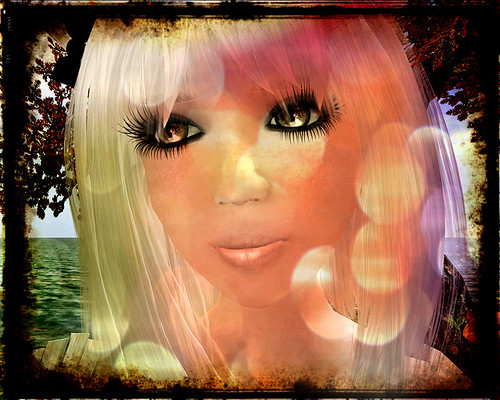
I love plurk! There are so many amazing people on plurk and they are always sharing pictures, ideas, and just about anything you can imagine. Today a link to a fun program was shared and I feel like Christmas came early!
Pixlr is a free web-based photo darkroom editor that adds old-fashion film darkroom processing effects, overlays, and boarders to images. Its incredibly powerful, streamlined, and yet simply and fast to use. Needless to say I. Am. In love!
Oh! It gets better. Did I mention that it is also available to DOWNLOAD and use free on your computer, iphone, or android phone? Oh yes!
Wait.
Wait!
And there is still more. (Do I sound like an infomercial yet?) There is also a free web-based graphics program you can use for regular photo editing. Its much like GIMP or Photoshop. The controls are almost exactly like Photoshop. It too is insanely easy to use. I forsee this program getting LOTS of use by me in the near and far future.
Happy Thanksgiving everyone!
For anything you want to do in Photoshop there are a dozen ways to do them. Greenscreen removal is no exception. If you're lucky enough to have a program like Mask Pro by On One, it will do the job nicely with just a few clicks. However, those programs can be expensive, and with just a few extra steps you can do the removal and clean up yourself. This is a method I picked up from a tutorial originally written by Ryker Beck on the old Rezzable website back in 2009 (thank you 1Angel for locating the source since my memory and HD wipe failed). However, this method continues to work well for me when I'm not using Mask Pro. If you have other methods you've found that work well for you please do share them in the comments area. I am by no means an expert in Photoshop. I'm self taught and am always looking for new/easier/better ways to do any given task.
"Greenscreen" is a generic term for any picture where the subject is photographed in front of a solid, bright/neon, primary color. Neon lime green tends to be the most commonly used, however a bright electric blue or hot pink (or any similar striking color) works as well. In Second Life the "Greenscreen" is created using a solid colored prim set to full bright as the background.
For this tutorial I am using an older greenscreen picture taken before my new graphics card, so many of the edges are not as clean as they would be with a higher end graphics card. However it still works for the purpose of this tutorial.
1. Start with your picture. You can see the solid green background, as well as a variety of colors and transparency levels in the image.

Duplicate the background layer. Select the top copy layer and then click on the eye on the original background layer to hide it.

2. Next from your menus at the top of your screen go to Select > Color Range > choose 'Selection'. Your cursor will turn into an eye dropper and just click anywhere on the background where the green would be. Check the Invert box, then ok. You'll notice the marching ants around your image.

3. Copy your selection using ctrl + c. Make a new layer, then paste your copied selection using ctrl + p onto the new Layer 1. At this point I also hide the background copy.

4. You'll notice on the new layer the semi-transparent areas still have green. Always start by working with the semi-transparent areas that have color, and then move to areas that are black and/or white.
5. Ctrl click on the Layer 1 thumbnail to select the entire image. You'll see the marching ants around the outline again. Create a new blank layer on top of Layer 1. Change the new layer (Layer 2) to Color. Go to your eyedropper tool and select a color from Layer 1 that is next to the green that you want to replace. In this case I have a few areas of red in the hair, tan, yellow, blue on the wings, and brown that still have a green edge to them. One by one I select each color sample from the base image, choose my paintbrush tool, a small soft brush and 100% opacity, and paint along the edge. You'll see the green gets covered up with the selected color.

6. After you've painted away the green in all the color zones (leaving only the semi-transparent areas that are either black or white) you can merge your top color layer 2 with the base layer 1. At this point you can use deselect to remove the marching ants outline.
7. Now we want to remove the green from the semi-transparent black and/or white areas. Go to Image > Adjustments > Hue/Saturation. From the drop down box select "Greens". Move your Saturation slider all the way to the left. If you are working with black, move the Lightness slider all the way to the left. If you are working with white, move the lightness slider all the way to the right. Click ok.

8. And there you have your image completely extracted from the Green Screen and ready for any other work you need to do on it in Photoshop. I always create a new layer below the final image and use the paint bucket tool to make it solid black or white to check my image and make sure all the green was removed and I didn't miss any spots.

"Greenscreen" is a generic term for any picture where the subject is photographed in front of a solid, bright/neon, primary color. Neon lime green tends to be the most commonly used, however a bright electric blue or hot pink (or any similar striking color) works as well. In Second Life the "Greenscreen" is created using a solid colored prim set to full bright as the background.
For this tutorial I am using an older greenscreen picture taken before my new graphics card, so many of the edges are not as clean as they would be with a higher end graphics card. However it still works for the purpose of this tutorial.
1. Start with your picture. You can see the solid green background, as well as a variety of colors and transparency levels in the image.

Duplicate the background layer. Select the top copy layer and then click on the eye on the original background layer to hide it.

2. Next from your menus at the top of your screen go to Select > Color Range > choose 'Selection'. Your cursor will turn into an eye dropper and just click anywhere on the background where the green would be. Check the Invert box, then ok. You'll notice the marching ants around your image.

3. Copy your selection using ctrl + c. Make a new layer, then paste your copied selection using ctrl + p onto the new Layer 1. At this point I also hide the background copy.

4. You'll notice on the new layer the semi-transparent areas still have green. Always start by working with the semi-transparent areas that have color, and then move to areas that are black and/or white.
5. Ctrl click on the Layer 1 thumbnail to select the entire image. You'll see the marching ants around the outline again. Create a new blank layer on top of Layer 1. Change the new layer (Layer 2) to Color. Go to your eyedropper tool and select a color from Layer 1 that is next to the green that you want to replace. In this case I have a few areas of red in the hair, tan, yellow, blue on the wings, and brown that still have a green edge to them. One by one I select each color sample from the base image, choose my paintbrush tool, a small soft brush and 100% opacity, and paint along the edge. You'll see the green gets covered up with the selected color.

6. After you've painted away the green in all the color zones (leaving only the semi-transparent areas that are either black or white) you can merge your top color layer 2 with the base layer 1. At this point you can use deselect to remove the marching ants outline.
7. Now we want to remove the green from the semi-transparent black and/or white areas. Go to Image > Adjustments > Hue/Saturation. From the drop down box select "Greens". Move your Saturation slider all the way to the left. If you are working with black, move the Lightness slider all the way to the left. If you are working with white, move the lightness slider all the way to the right. Click ok.

8. And there you have your image completely extracted from the Green Screen and ready for any other work you need to do on it in Photoshop. I always create a new layer below the final image and use the paint bucket tool to make it solid black or white to check my image and make sure all the green was removed and I didn't miss any spots.

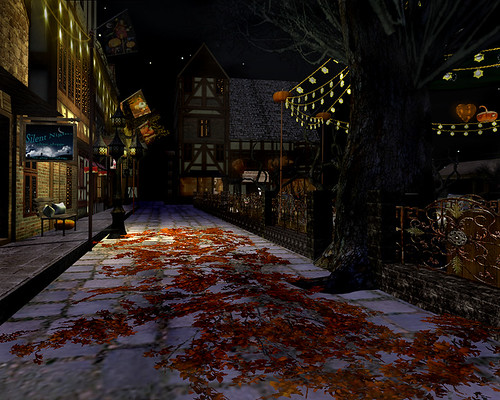
Carnival Street, originally uploaded by ~sierra sugar~.
Old Europe Village is a quaint old-world place with little town shops lining the cobblestone streets. At its center is a town square hosting the annual Hallow's Eve Carnival. There are lots of hidden treasures to explore from dancing in the fog-covered graveyard to riding the skull Ferris wheel, a haunted tunnel of love ride, and even a haunted house guarded by zombies. Old Europe Village changes with the seasons, so be sure to catch the carnival while it's still in town.
And you thought the post was going to end there? C'mon, you know me better than that by now...
So its Halloween time and I've had a quote from my favorite movie in my head for some time. It's what inspired this post. Ray Bradbury wrote the book "Something Wicked This Way Comes" and Disney turned it into a movie in 1983. While many know the quote, few are familiar with its interesting history.
Shakespeare is actually the original creator of part of the known phrase. It derives from Macbeth, a line spoken by the second witch in reference to Macbeth himself. Henry Wadsworth Longfellow contributed to part of the rhyme borrowed from his "I Heard the Bells on Christmas Day". And Mr. Ray Bradbury put it all together in his wonderful little story of a twist of fate spoken by the character Mr. Dark. And without further ado:
Shakespeare is actually the original creator of part of the known phrase. It derives from Macbeth, a line spoken by the second witch in reference to Macbeth himself. Henry Wadsworth Longfellow contributed to part of the rhyme borrowed from his "I Heard the Bells on Christmas Day". And Mr. Ray Bradbury put it all together in his wonderful little story of a twist of fate spoken by the character Mr. Dark. And without further ado:
"By the pricking of my thumbs,
something wicked this way comes.
Then toll the bells both loud and deep,
God is not dead, nor doth he sleep.
The wrong will fail, the right prevail,
With peace on Earth, good will toward men"
With peace on Earth, good will toward men"
"Ill winds mark its fearsome flight,
and autumn branches creak with fright.
The landscape turns to ashen crumbs,
when something wicked this way comes.
and autumn branches creak with fright.
The landscape turns to ashen crumbs,
when something wicked this way comes.
Crystal water turns to dark,
where e'er its presence leaves its mark,
and boiling currents pound like drums,
when something wicked this way comes.
where e'er its presence leaves its mark,
and boiling currents pound like drums,
when something wicked this way comes.
and gives the horses ample scare,
for chaos reigns and panic numbs,
when something wicked this way comes."
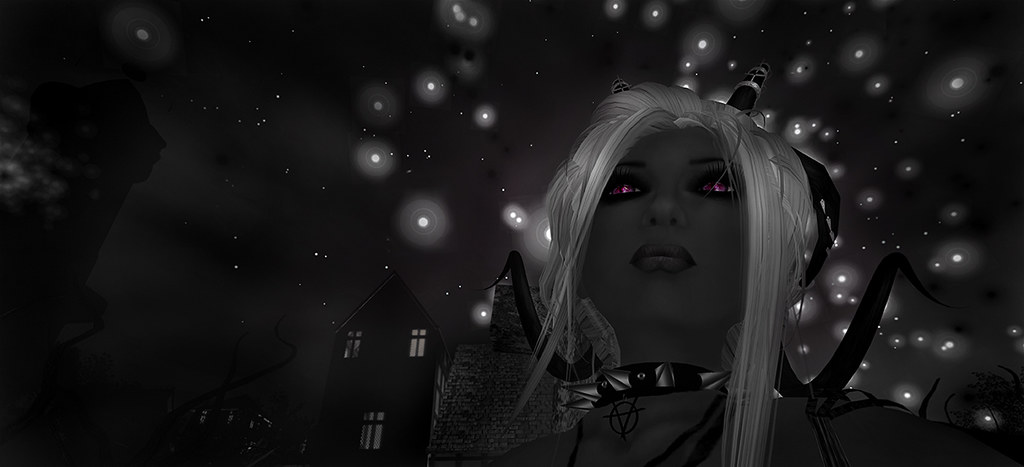 | ||||
| Something Wicked This Way Comes |
Shopping List:
Skin: Nomine Aether - Latte
Hair: /Wasabi Pills/ Ahiga Hair - Silver
Eyes: FDM-Alive-Succubus-L-Light
Lashes: Miamai_NoAlpha Lashes_N01
Horns: Sinfull Aaryanna horns Black
Wings: ::{Favole}:: Entangled *Version 3*
Tail: Chained black tail stomach attach
Gloves: ELEMENTAL glowing electric hands +Fallen Gods Inc.+ PITCH BLACK
Hair: /Wasabi Pills/ Ahiga Hair - Silver
Eyes: FDM-Alive-Succubus-L-Light
Lashes: Miamai_NoAlpha Lashes_N01
Horns: Sinfull Aaryanna horns Black
Wings: ::{Favole}:: Entangled *Version 3*
Tail: Chained black tail stomach attach
Gloves: ELEMENTAL glowing electric hands +Fallen Gods Inc.+ PITCH BLACK
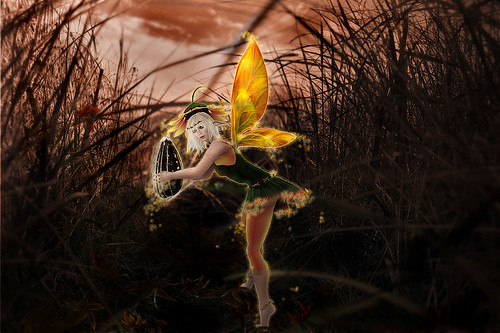
Never before seen, this Sunflower Faerie was caught on camera planting a seed. Both the fae and photographer were equally surprised by their mutual discovery, causing that moment of startled indecision. Sadly only this single still image was captured. As soon as she realized she was spotted the fussy little fae buzzed around the camera holder furiously then flew off.
Most humans are clueless and don't realize that while the world is settling down for a relaxing evening, the fae are busy in hidden places making the world a beautiful place. So the next time you're sitting on your porch sipping your iced-cold tea and watching the sun set, see if your eyes can spot one of these busy little creatures at work. Just make sure you don't let them know you see, because as cute as they appear they aren't always so cuddly.
Pose: eMOTIONS by *SKC* - Planting Seeds
Top: *IW* Eireen Sunflower Top
Pants: *IW* Eireen Sunflower Pants
Belt: *IW* Eireen Sunflower Belt
Hat: *IW* Eireen Sunflower Hat
Skirts: *IW* Eireen Sunflower Skirt
Anklets: Evie's Closet - Ariel
Circlet: Evie's Closte - Ariel
Necklace: *GF* Sunflower Choker
Skin: .ILLUSORY. Skin_Paige_Light - Stained A1 (LBF)
Hair: Vera Blonde Angel *Battle Angel* JFFH
Eyes: poetic colors - cat eyes (white) - preview
Freckles: L.Fauna EXTRA FRECKLES [Tan]
Wilted Elf Ears: .ILLUSORY. Elven Ear - a1
Lashes: Miamai_NoAlpha Lashes_N01
Nails: [ Love Soul ] Prim nails+Ring*Sunflower*
Feet: [AL] Promo Bare Tip Toe Foot
Most humans are clueless and don't realize that while the world is settling down for a relaxing evening, the fae are busy in hidden places making the world a beautiful place. So the next time you're sitting on your porch sipping your iced-cold tea and watching the sun set, see if your eyes can spot one of these busy little creatures at work. Just make sure you don't let them know you see, because as cute as they appear they aren't always so cuddly.
Pose: eMOTIONS by *SKC* - Planting Seeds
Top: *IW* Eireen Sunflower Top
Pants: *IW* Eireen Sunflower Pants
Belt: *IW* Eireen Sunflower Belt
Hat: *IW* Eireen Sunflower Hat
Skirts: *IW* Eireen Sunflower Skirt
Anklets: Evie's Closet - Ariel
Circlet: Evie's Closte - Ariel
Necklace: *GF* Sunflower Choker
Skin: .ILLUSORY. Skin_Paige_Light - Stained A1 (LBF)
Hair: Vera Blonde Angel *Battle Angel* JFFH
Eyes: poetic colors - cat eyes (white) - preview
Freckles: L.Fauna EXTRA FRECKLES [Tan]
Wilted Elf Ears: .ILLUSORY. Elven Ear - a1
Lashes: Miamai_NoAlpha Lashes_N01
Nails: [ Love Soul ] Prim nails+Ring*Sunflower*
Feet: [AL] Promo Bare Tip Toe Foot
